
User access
Cluster hostname
To connect to Genobioinfo cluster, frontals servers's hostname is:
genobioinfo.toulouse.inrae.fr
Conditions of access and use of the infrastructure
Please read our charter
Operating system required to connect via SSH to the platform
All systems implementing SSH can be used to connect yourself to front-end servers (Windows, Linux, MacOS).
Access the platform
You access the platform via a command line SSH connection (MobaXterm on windows). To access via SSH, you must have a user account.
To request a user account please complete the Ask for an account form
How to connect to the platform under MS-Windows with MobaXterm (recommended)?
Download and install the portable edition at this url: https://mobaxterm.mobatek.net/download-home-edition.html
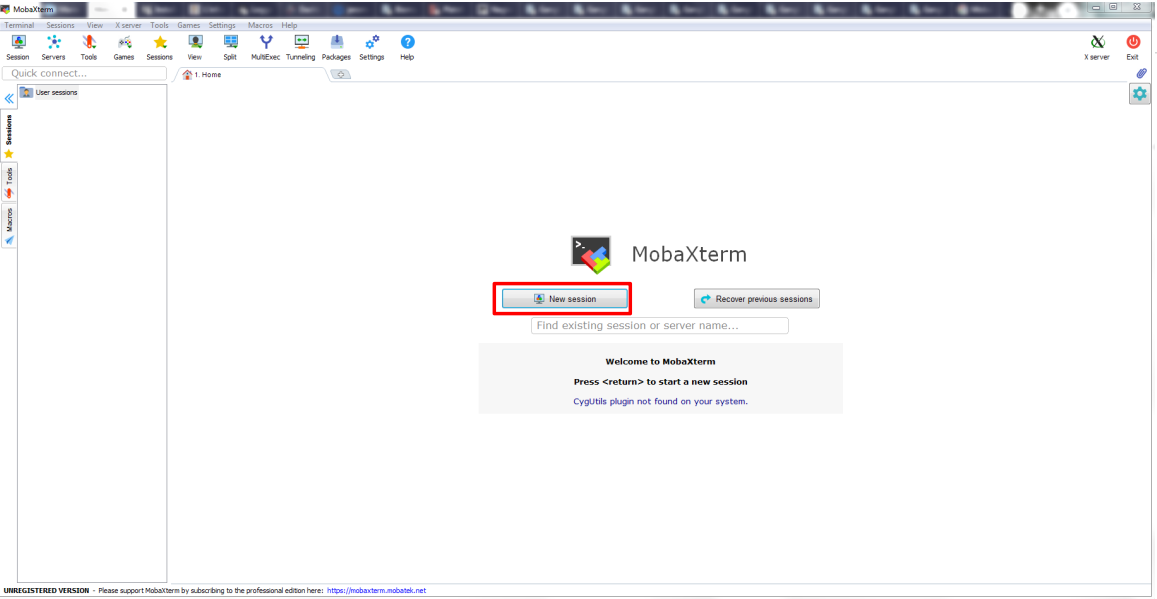
Launch MobaXterm and select New session:
Indicate the hostname genobioinfo.toulouse.inrae.fr and your username on Genotoul-bioinfo cluster:
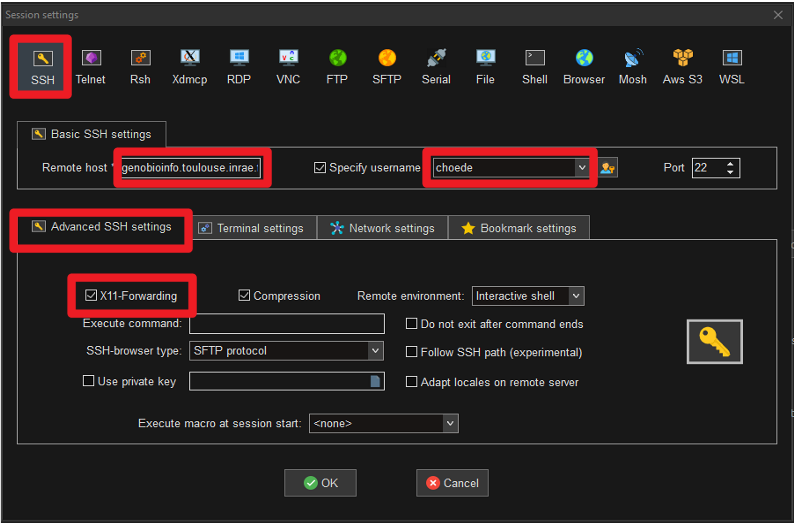
You can see that X11 forwarding is activated by default (enabling opening of graphic windows).
Once the session is activated, you get a tab with the active session:
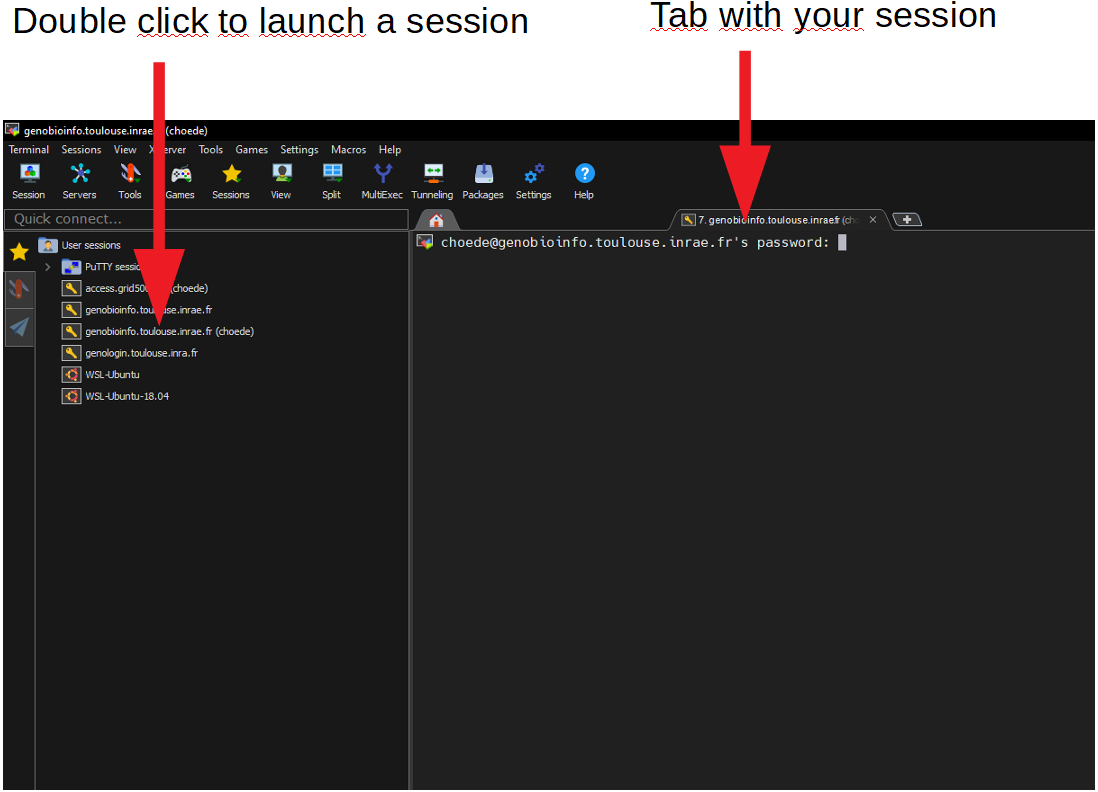
You can start a new session by clicking on the session on the right.
For more help, see MobaXterm documentation: https://mobaxterm.mobatek.net/documentation.html
File transfert from/to the platform
For Windows only
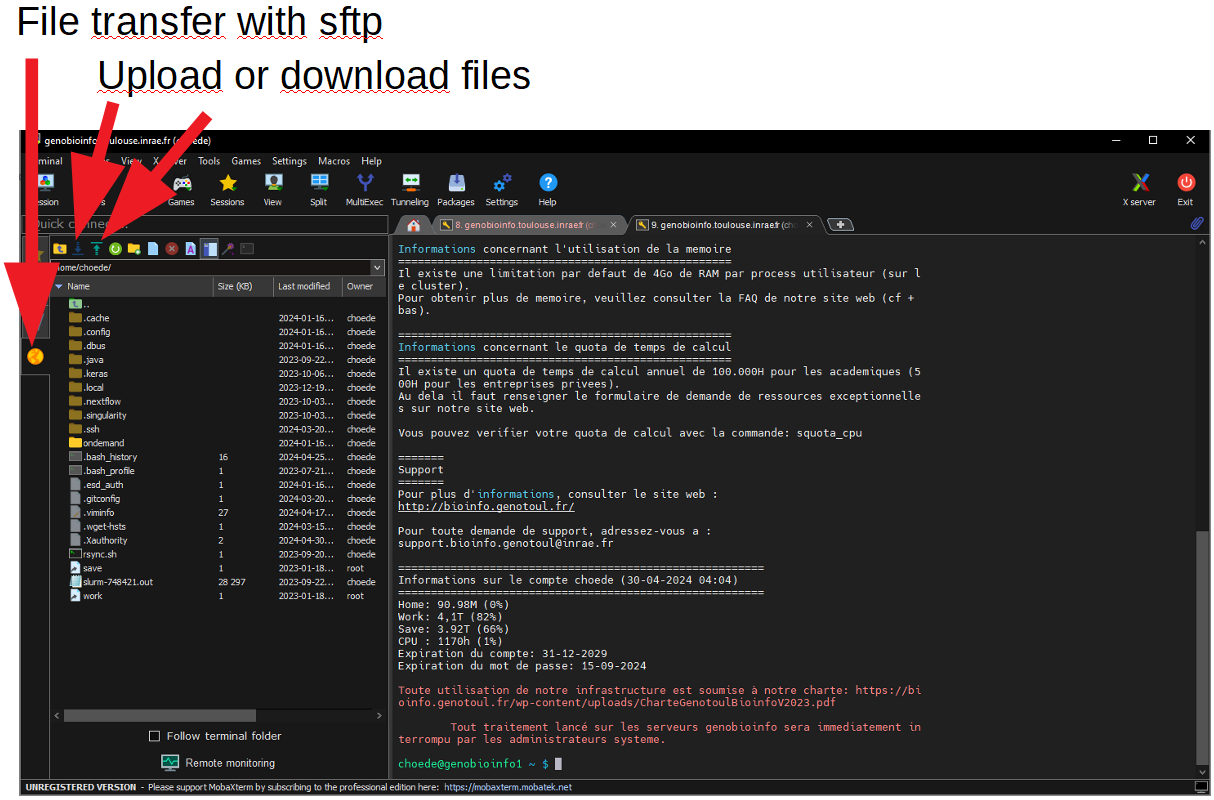
You will be able to transfer files directly in MobaXterm with the SFTP tab on the left.
The upload and download buttons will allow you to exchange files. Drag and drop also works.
Transfer your files using a secure program such as Filezilla or Cyberduck. With Filezilla you have to set the transfer port to 22.
Enter the host address, login and password and connection type: SCP
Frame 1 corresponds to the directory tree on your local desktop.
Frame 2 corresponds to your directory tree on cluster.
To transfer files drag them from one frame to the other.
For Linux, any Unix-like (OS X) or Windows with OpenSSH or WLS
From your Linux terminal, you can use the scp command.
For example to transfer a file named my-file to the work space on genotoul, you can type:
scp my-file <username>@genobioinfo.toulouse.inrae.fr:~/work
where you replace <username> with your username on Genotoul-bioinfo cluster
Subscribe to bioinfo-genotoul list
You can register to bioinfo-genotoul list bioinfo.genotoul@groupes.renater.fr by adding your email address on related mailling list on renater:
See my account information (SelfService)
You can see your account information on our SelfService.
Change your password (every year)
You can change your password:
- by using the
Forgot password?link on SelfService interface, - in a terminal, connected to login node via
ssh, by using the Unix command:
Data management plan of the infrastructure (DMP or PGD)
The DMP of GenoToul Bioinfo facility is available here : Data management plan
Carbon footprint
The last carbon footprint of GenoToul Bioinfo facility is available here
Setting up your spam filter
Some of our emails may be filtered by your spam filters. To ensure that we can send you important information, please configure your settings to allow emails from the following addresses:
- Support: support.bioinfo.genotoul(at)inrae.fr and Support.Genopole(at)inrae.fr
- Newletters and cluster informations: bioinfo.genotoul-request(at)groupes.renater.fr
- Account and password expiration: ldap_admin(at)genomaster.toulouse.inrae.fr
- Formation: formation-pfbioinfo(at)inrae.fr
- Request Project : anim.bioinfo-Occitanie-Toulouse(at)inrae.fr